• Point of Sale
  • Categories
    • Getting Started with SalesPlay
    • Web POS
    • Sales
    • Product
    • Inventory
    • User
    • Customers
    • Reports
    • Settings
  • Community
  • Point of Sale
  • Categories
    • Getting Started with SalesPlay
    • Web POS
    • Sales
    • Product
    • Inventory
    • User
    • Customers
    • Reports
    • Settings
  • Community
Home/Knowledge Base/Product/How to Create a Composite Product

How to Create a Composite Product

February 11, 2026


1. Go to Back Office > Products

  • Composite product contains a collection of other products which you can sell as a whole.
  • Go to Back Office > Products.


2. Create Components of the Composite Product

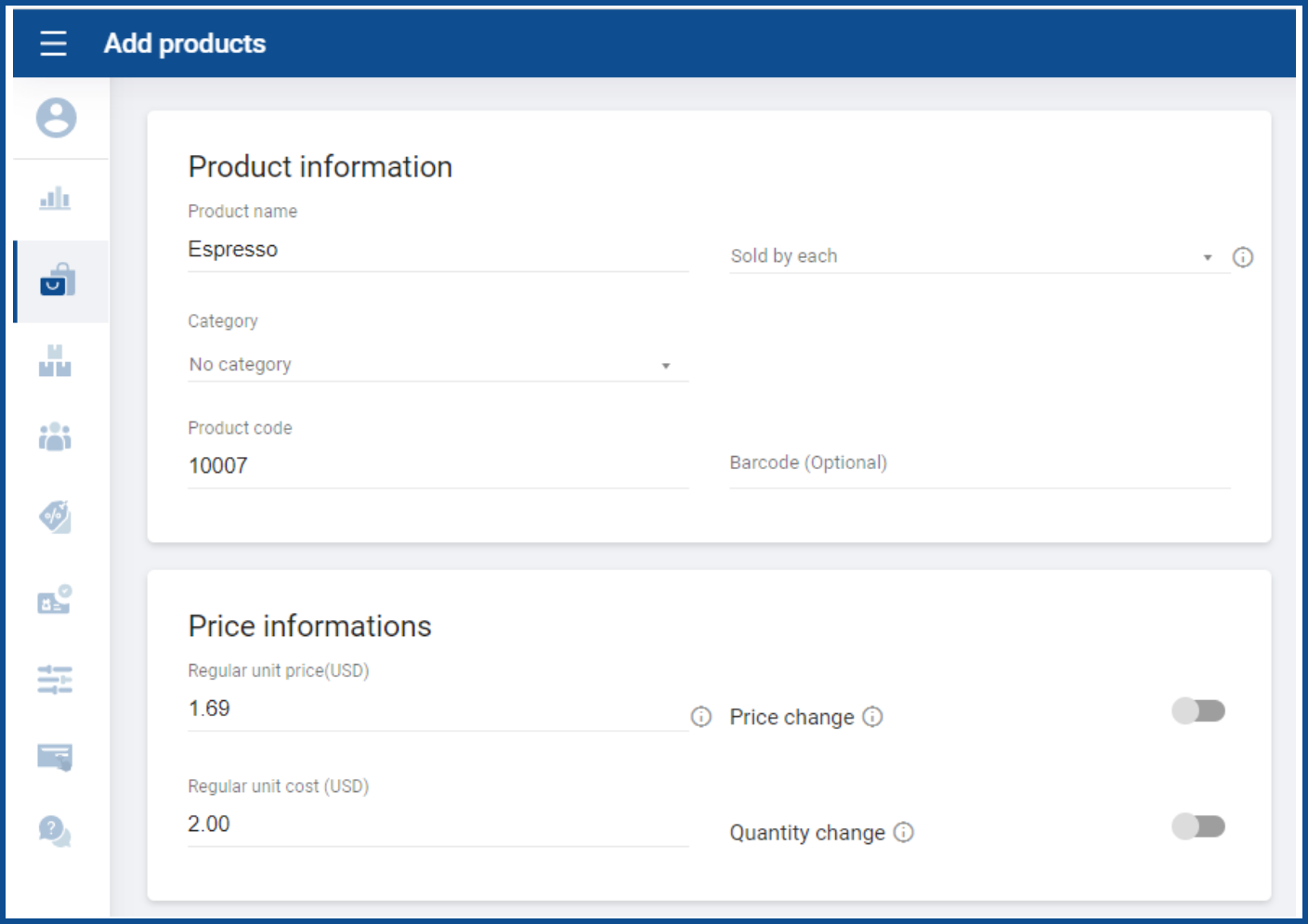
  1. To add a new component product, click ‘Add product’.
  2. Enter the name and other details of the product.


3. Mark Product as Ingredient (Optional)

  1. If the product is not available for sale, select ‘Ingredient product’ from additional options.

4. Create the Composite Product

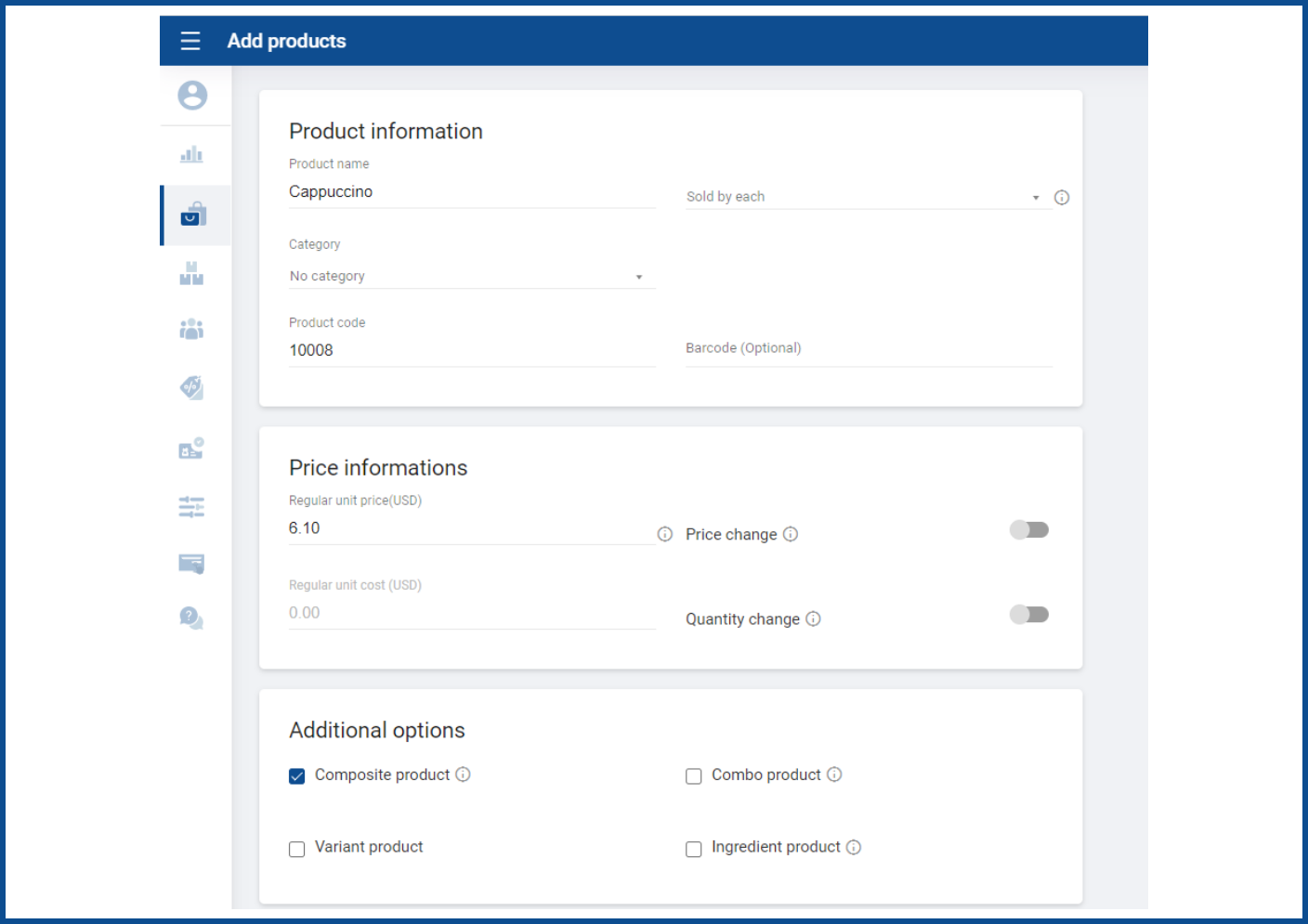
  • After you have all the components, create the composite item by clicking the ‘Add products’ button again.
  • Select ‘Composite product’ option from the additional options.


5. Add Component Products

  • Add component products one by one by searching for them in the product list.
  • The regular unit cost of the composite product will be calculated based on the quantity and cost of all components.


6. Save the Composite Product

  • Save all the details.

Was this helpful?

Yes  No
Related Articles
  • How to Create Modifiers
  • How to Print Labels
  • How to Create a Combo Product
  • How to Create Discount Plans Attached to the Receipt
  • How to Use Barcodes and Find Products Easily
  • How to Use Variants of Products

No luck finding what you need? Contact Us

Popular Articles
  • Issues Caused by Damaged Network Cables
  • POS Dashboard App – Setup Guide
  • How to Set Up Manual Cash Rounding
  • How to Subscribe Add-ons / Modules Employee Management
  • How to Work with Productions
KB Category
  • Affiliate Program
  • Customer Orders
  • Customers
  • Distributor Referral
  • Getting Started
  • Inventory
  • Loyalty
  • Payment
  • Product
  • Reports
  • Sales
  • Settings
  • Setup
  • User
  • Web POS

Still need help?

Contact Us

Our support team is
here for you!

Ask the Community

Connect and get answers
from fellow SalesPlay POS users.

Asset-3-3.webp
  • Privacy Policy
  • Terms & Conditions
  • Return & Refund Policy
Asset-3-3.webp
  • Privacy Policy
  • Terms & Conditions
  • Return & Refund Policy