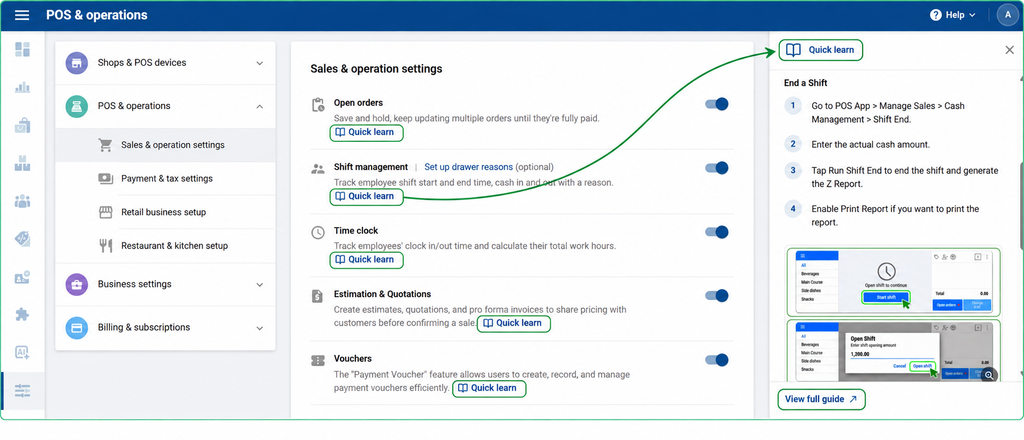
Quick Learn gives you short instructions and screenshots to help you set up and use features. The guide opens in a side panel in Backoffice, so you can follow the steps as you work.
- Sign in to SalesPlay Backoffice.
- Go to Settings > POS & Operations.
- Find the feature you want to learn about and select Quick Learn.
- Follow the steps in the side panel.
- For more details, select View Full Guide to open the full Help Center article.