SalesPlay provides options to manage your shops and terminals efficiently. You can clear data, delete shops, or remove POS terminals directly from the Back Office. Use these options carefully, as some actions are irreversible.
1. Clear Data in Back Office
SalesPlay allows you to clear all data or just transaction data.
- Clear All Data: Deletes all information including the master database. Use with caution, as data cannot be recovered.
- Clear Transaction Data: Deletes only sales and stock data, keeping the master database intact. Recommended after initial tests before real sales.
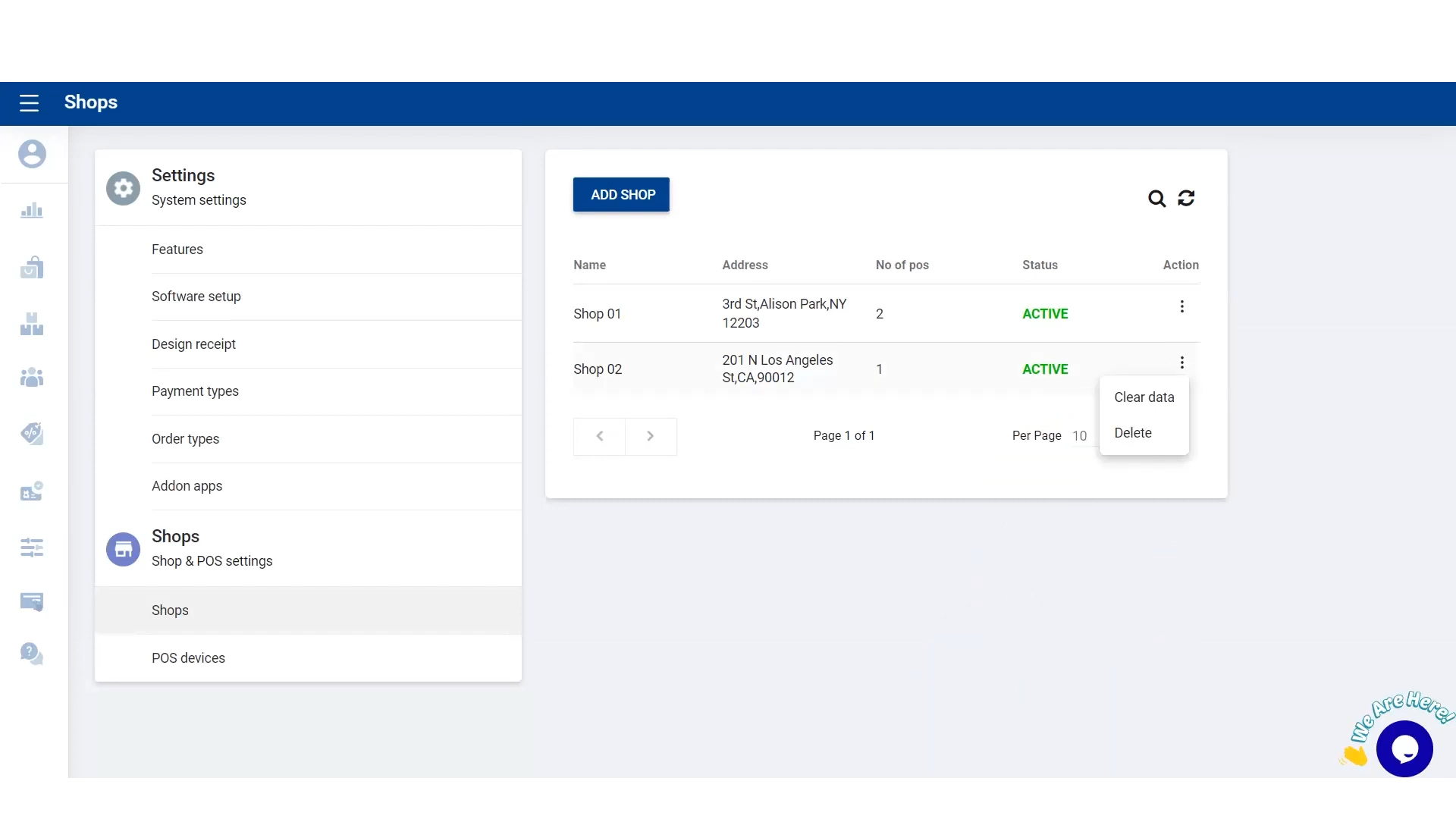
Steps to Clear Data:
- Login to SalesPlay Back Office Web Portal.
- Select Settings > Shops from the main menu.
- Click the 3-dot Action button next to the shop.
- Select Clear Data.
- Enter your password and click Continue.
- Choose either Clear All Data or Clear Transaction Data and click Continue.
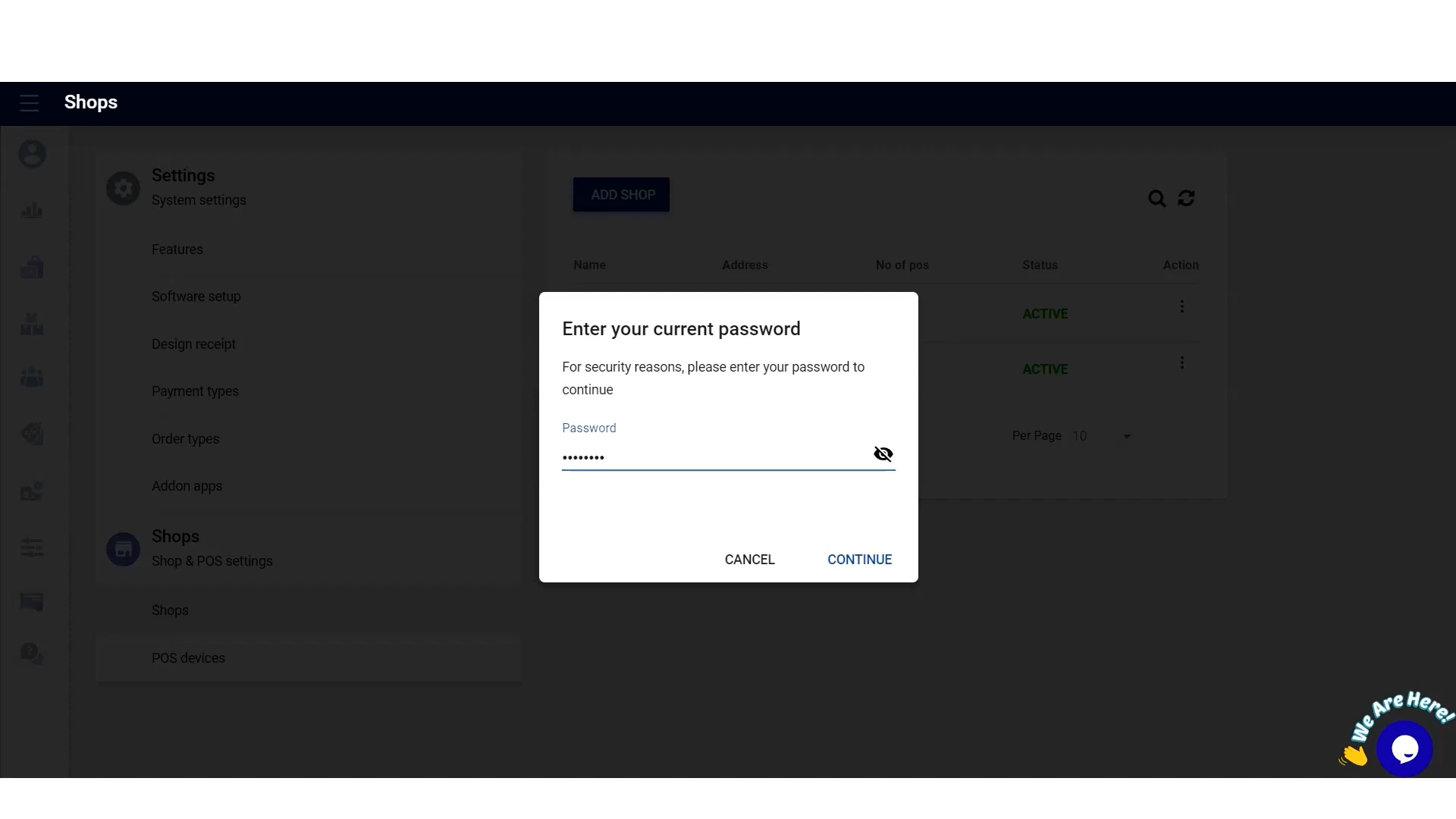
Note: These actions are irreversible. Proceed with caution.
2. Delete Shop in Back Office
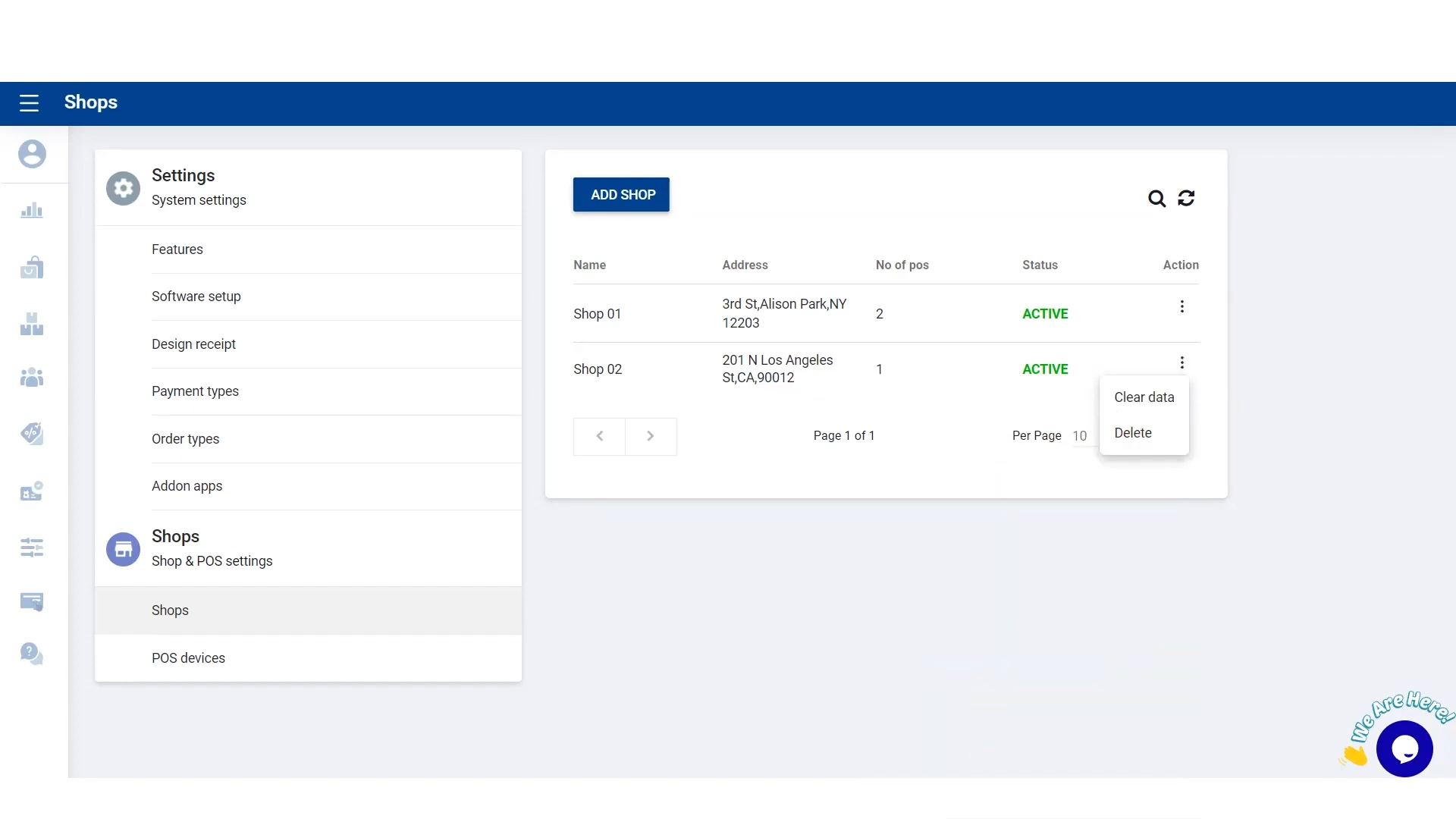
- Go to Settings > Shops in the main menu.
- Click the 3-dot Action button next to the shop you want to delete.
- Select Delete Shop.
3. Delete Terminal in Back Office
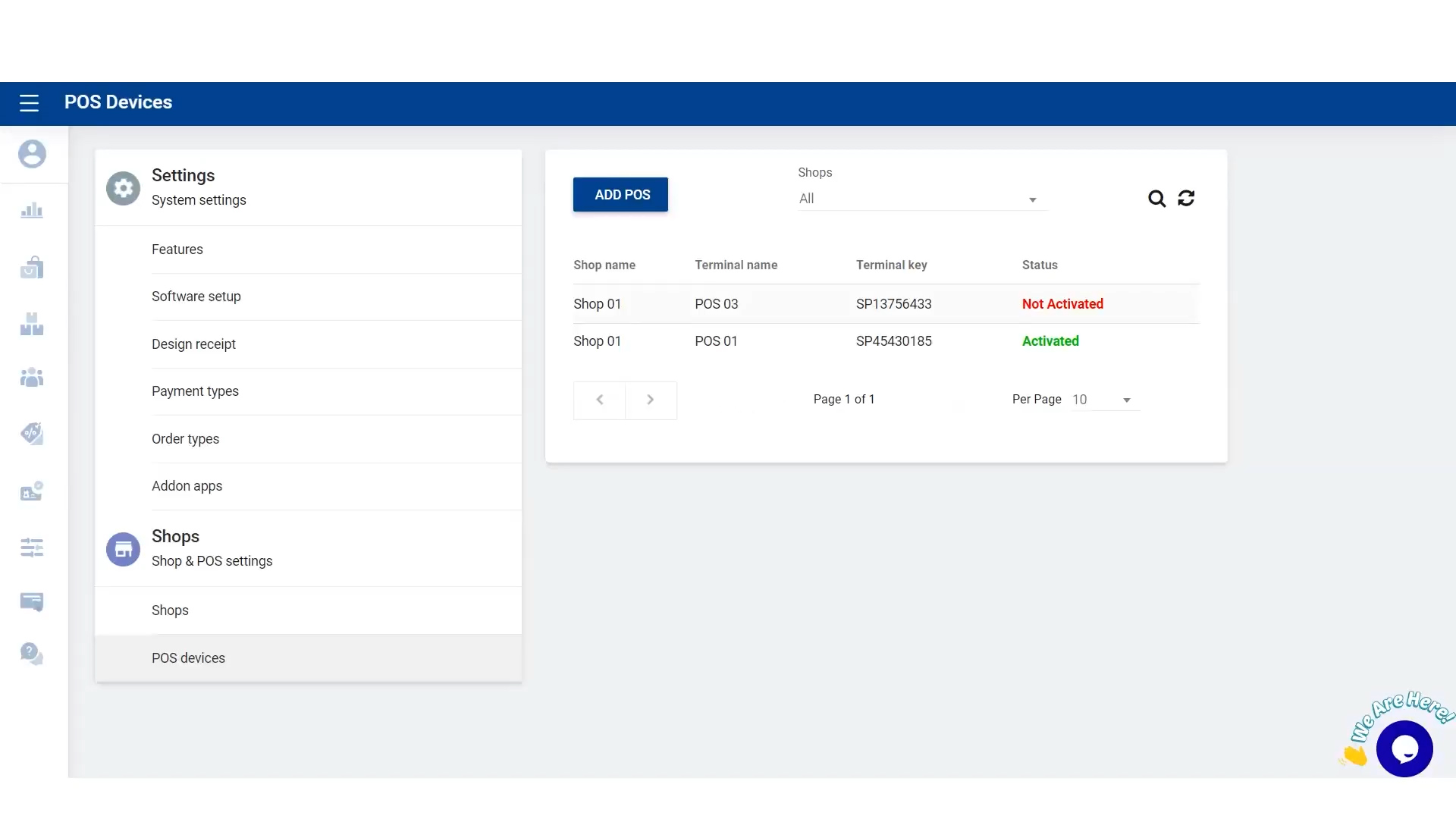
- Navigate to Shop > POS Devices.
- Click the 3-dot Action button next to the terminal.
- Select Delete Terminal.
Once completed, the selected shop or terminal will be removed from the Back Office. Always double-check before deleting, as this action cannot be undone.