• Point of Sale
  • Categories
    • Getting Started with SalesPlay
    • Web POS
    • Sales
    • Product
    • Inventory
    • User
    • Customers
    • Reports
    • Settings
  • Community
  • Point of Sale
  • Categories
    • Getting Started with SalesPlay
    • Web POS
    • Sales
    • Product
    • Inventory
    • User
    • Customers
    • Reports
    • Settings
  • Community
Home/Knowledge Base/Sales/How to Do Fully & Partial Credit Settlement

How to Do Fully & Partial Credit Settlement

February 11, 2026

1. SalesPlay Fully & Partial Credit Settlement

  • SalesPlay POS system allows you to settle a customer’s total credit outstanding at once. This feature allows businesses to manage their customer’s credit accounts more efficiently and accurately.
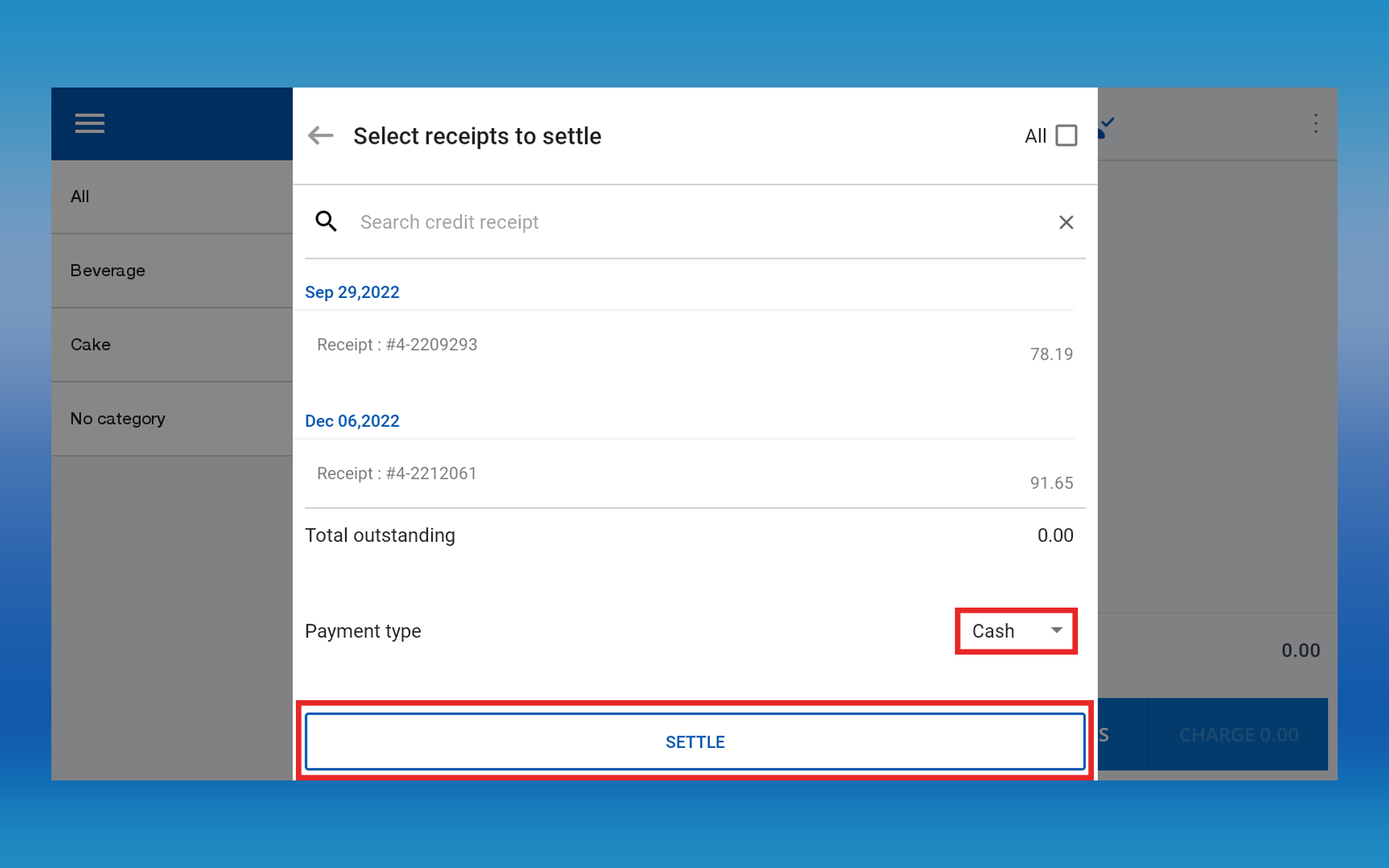
  • The user can select the customer and then open the customer profile, then the user can either select all credit receipts or multiple receipts for the bulk credit settlement.

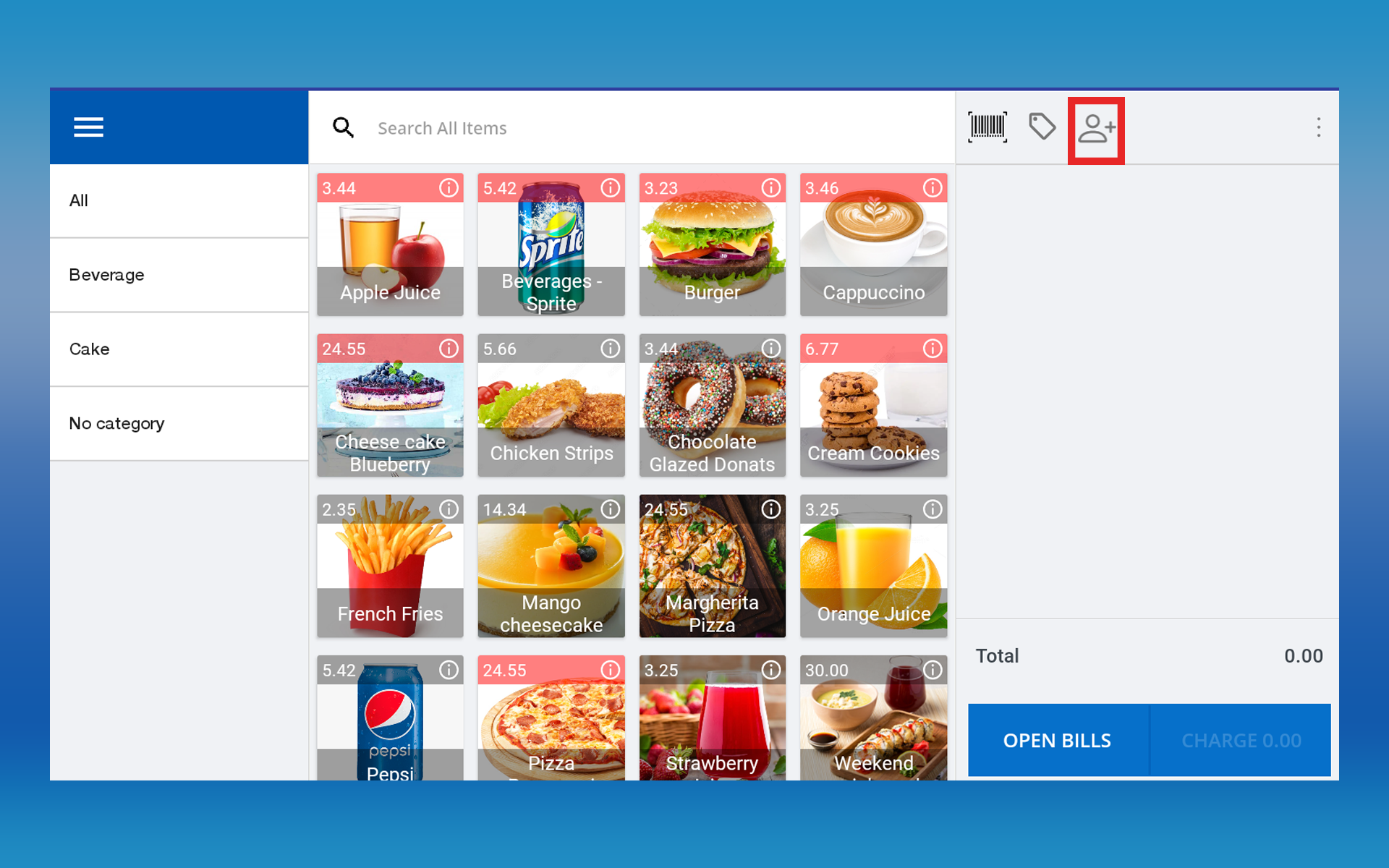
2. POS App main menu > Select “New Sale” > Click the “Customer” icon


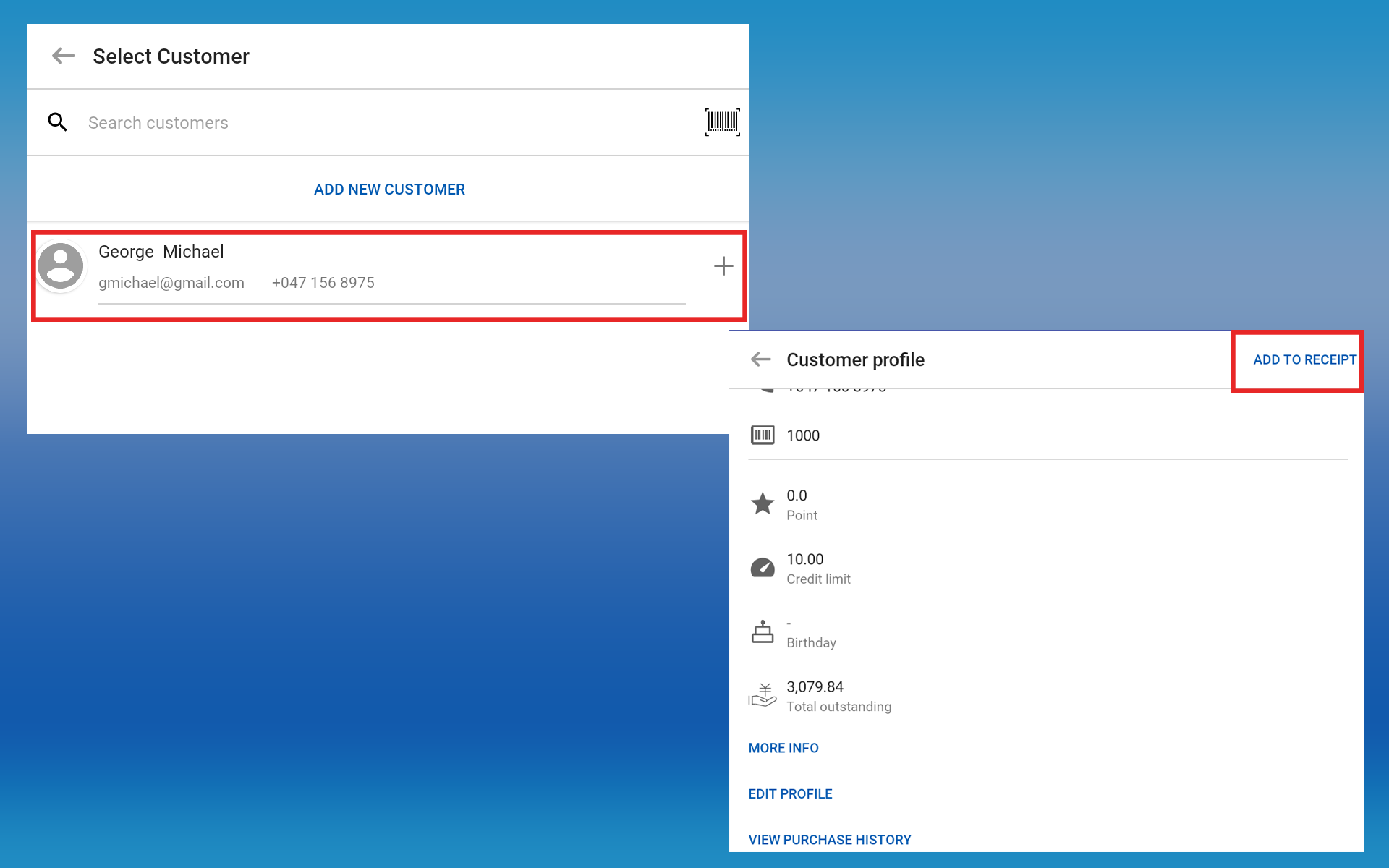
3. Select the customer and go to the profile section > Click on the “ADD TO RECEIPT” section


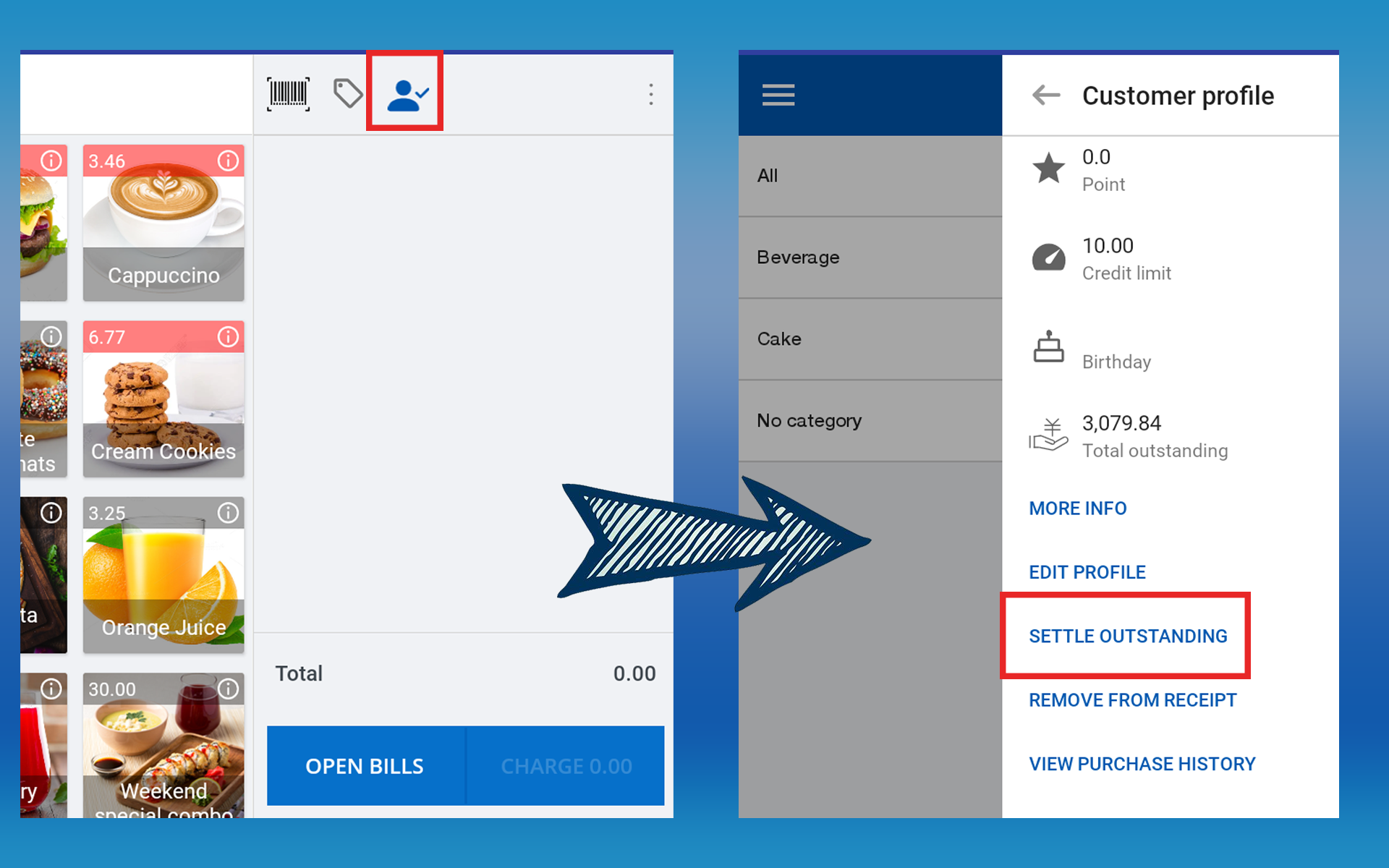
4. Click on the “Settle Outstanding” section


5. Select the “Payment Type” > Click the “SETTLE” button


6. Click the “Continue” button
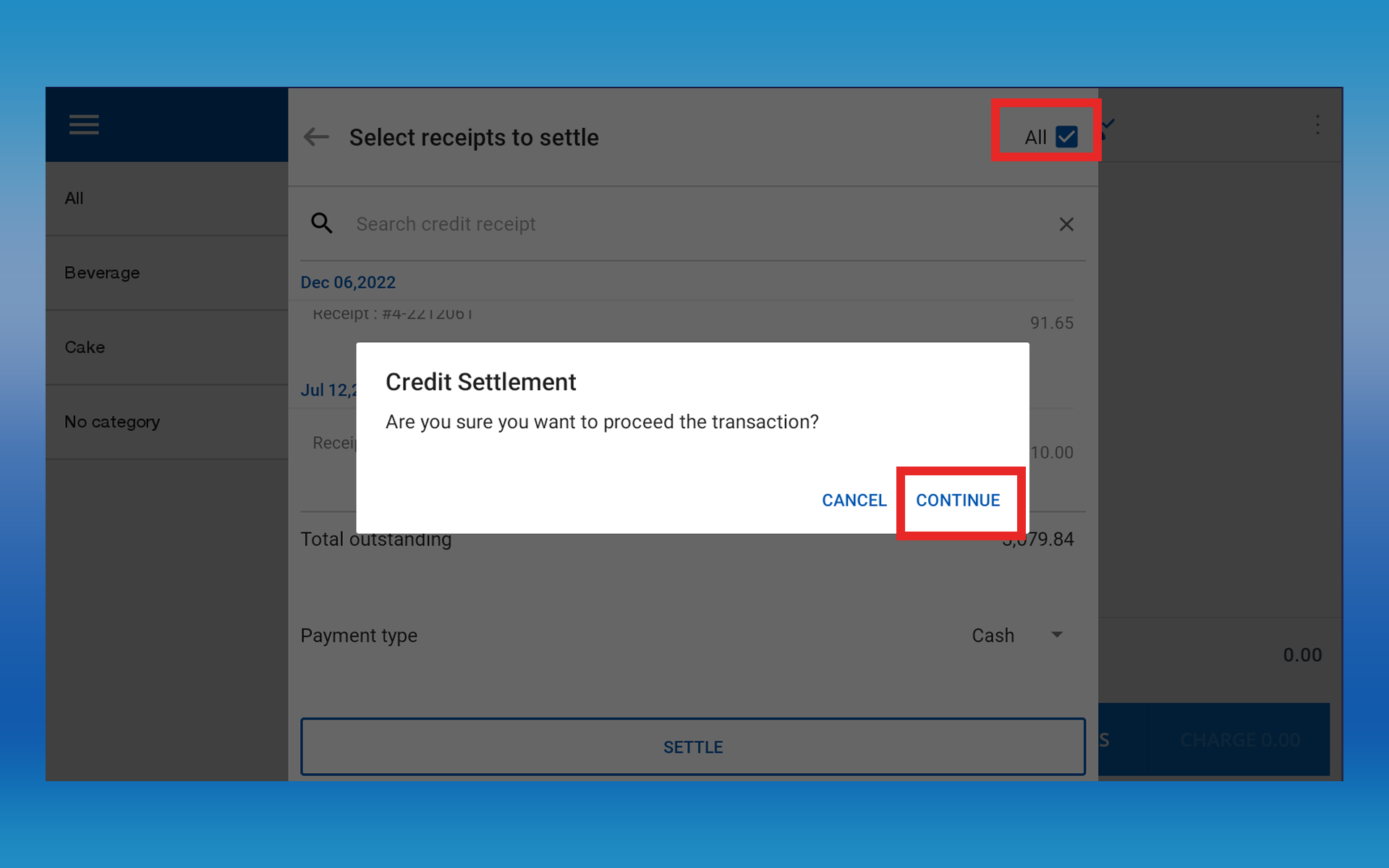


  • Once the user has done the full/partial credit settlement, customer outstanding will be reduced from the “Debtor Management” section and settlements will be shown in “Shift End”

Was this helpful?

Yes  No
Related Articles
  • How to Modify Decimal and Comma Separators
  • How to Add Tips for Card Payments in SalesPlay POS
  • How to Add Tips to Receipts in SalesPlay POS
  • How to Reserve Tables or Rooms & Assign Staff
  • How to Calculate Sales Commission
  • How to Exchange Products and Use Credit Notes

No luck finding what you need? Contact Us

Popular Articles
  • Set Up Customer Display App
  • Number of Pax Feature
  • SalesPlay iOS POS App (Only Europe Region)
  • Issues Caused by Damaged Network Cables
  • QR Ordering System Guide for SalesPlay POS
KB Category
  • Affiliate Program
  • Customer Orders
  • Customers
  • Distributor Referral
  • Getting Started
  • Inventory
  • Loyalty
  • Payment
  • Product
  • Reports
  • Sales
  • Settings
  • Setup
  • User
  • Web POS

Still need help?

Contact Us

Our support team is
here for you!

Ask the Community

Connect and get answers
from fellow SalesPlay POS users.

Asset-3-3.webp
  • Privacy Policy
  • Terms & Conditions
  • Return & Refund Policy
Asset-3-3.webp
  • Privacy Policy
  • Terms & Conditions
  • Return & Refund Policy