• Point of Sale
  • Categories
    • Getting Started with SalesPlay
    • Web POS
    • Sales
    • Product
    • Inventory
    • User
    • Customers
    • Reports
    • Settings
  • Community
  • Point of Sale
  • Categories
    • Getting Started with SalesPlay
    • Web POS
    • Sales
    • Product
    • Inventory
    • User
    • Customers
    • Reports
    • Settings
  • Community
Home/Knowledge Base/Reports/Inventory Valuation Report in SalesPlay

Inventory Valuation Report in SalesPlay

What Is the Inventory Valuation Report?

  • The SalesPlay Inventory Valuation Report helps business owners, managers, and accountants monitor inventory performance and in-hand stock levels.
  • It allows you to assess the total value of inventory for financial reporting purposes.
  • The report supports better decision-making for pricing, restocking, and overall inventory control.

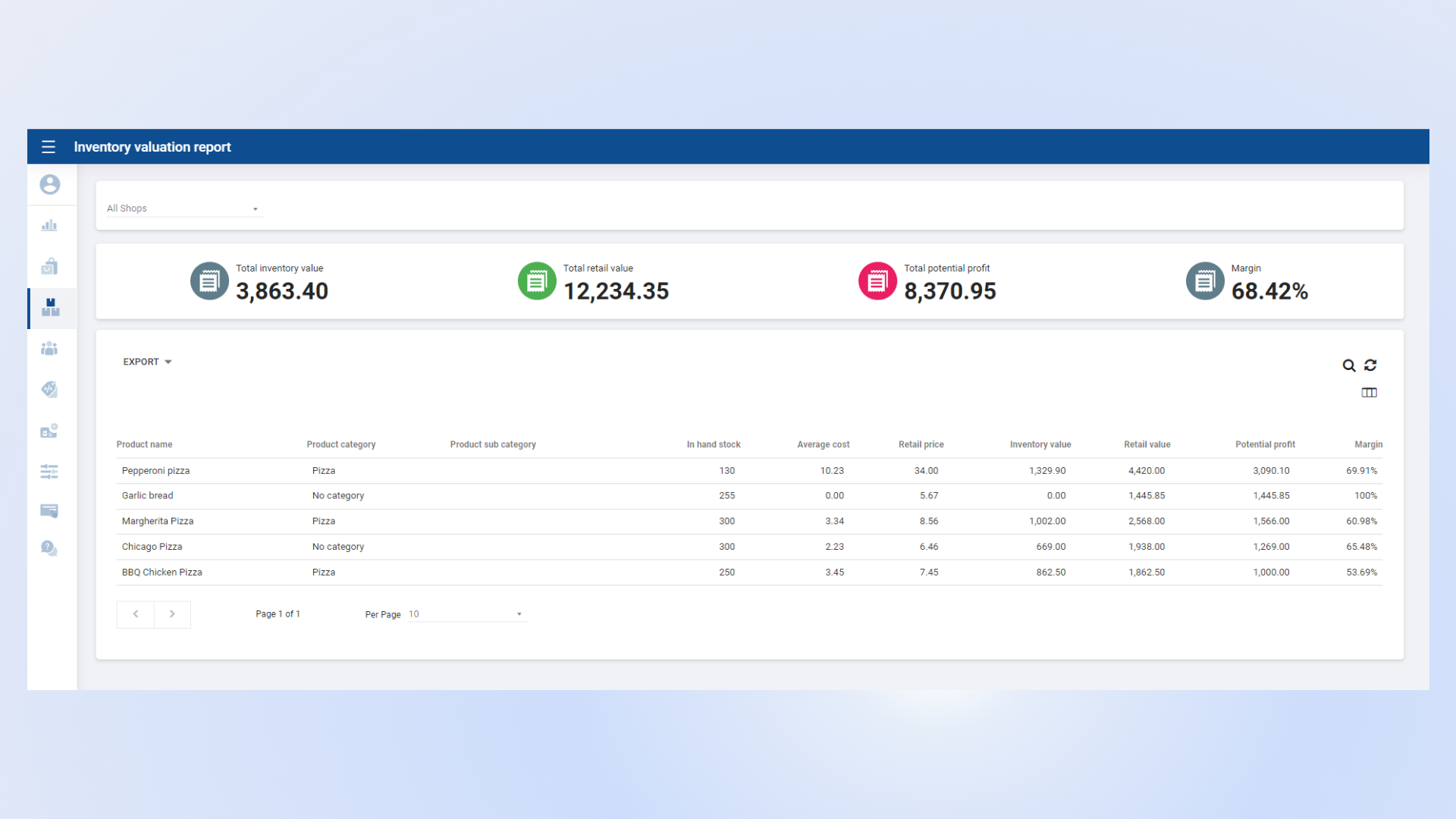
Inventory Valuation Report Dashboard View

Key Information Available in the Inventory Valuation Report

  • Total Retail Value – The total selling price of all available inventory.
  • Total Inventory Value – The total cost value of all available stock.
  • Total Potential Profit – Calculated as:
    Total Retail Value − Total Inventory Value
  • Profit Margin (%) – Calculated as:
    ((Total Retail Value − Total Inventory Value) / Total Retail Value) × 100
  • In-Hand Stock – The current available quantity of items in inventory.


Was this helpful?

1 Yes  No

No luck finding what you need? Contact Us

Still need help?

Contact Us

Our support team is
here for you!

Ask the Community

Connect and get answers
from fellow SalesPlay POS users.

Asset-3-3.webp
  • Privacy Policy
  • Terms & Conditions
  • Return & Refund Policy
Asset-3-3.webp
  • Privacy Policy
  • Terms & Conditions
  • Return & Refund Policy