• Point of Sale
  • Categories
    • Getting Started with SalesPlay
    • Web POS
    • Sales
    • Product
    • Inventory
    • User
    • Customers
    • Reports
    • Settings
  • Community
  • Point of Sale
  • Categories
    • Getting Started with SalesPlay
    • Web POS
    • Sales
    • Product
    • Inventory
    • User
    • Customers
    • Reports
    • Settings
  • Community
Home/Knowledge Base/Reports/Shift Report with Sales Summary in SalesPlay

Shift Report with Sales Summary in SalesPlay

What Is the Shift Report with Sales Summary?

  • The Shift Report with Sales Summary is an essential tool for all types of businesses.
  • It provides a clear and concise overview of sales activity during a specific shift.
  • The report captures important financial and operational data to ensure transparency and accountability.


Key Details Available in the Shift Report

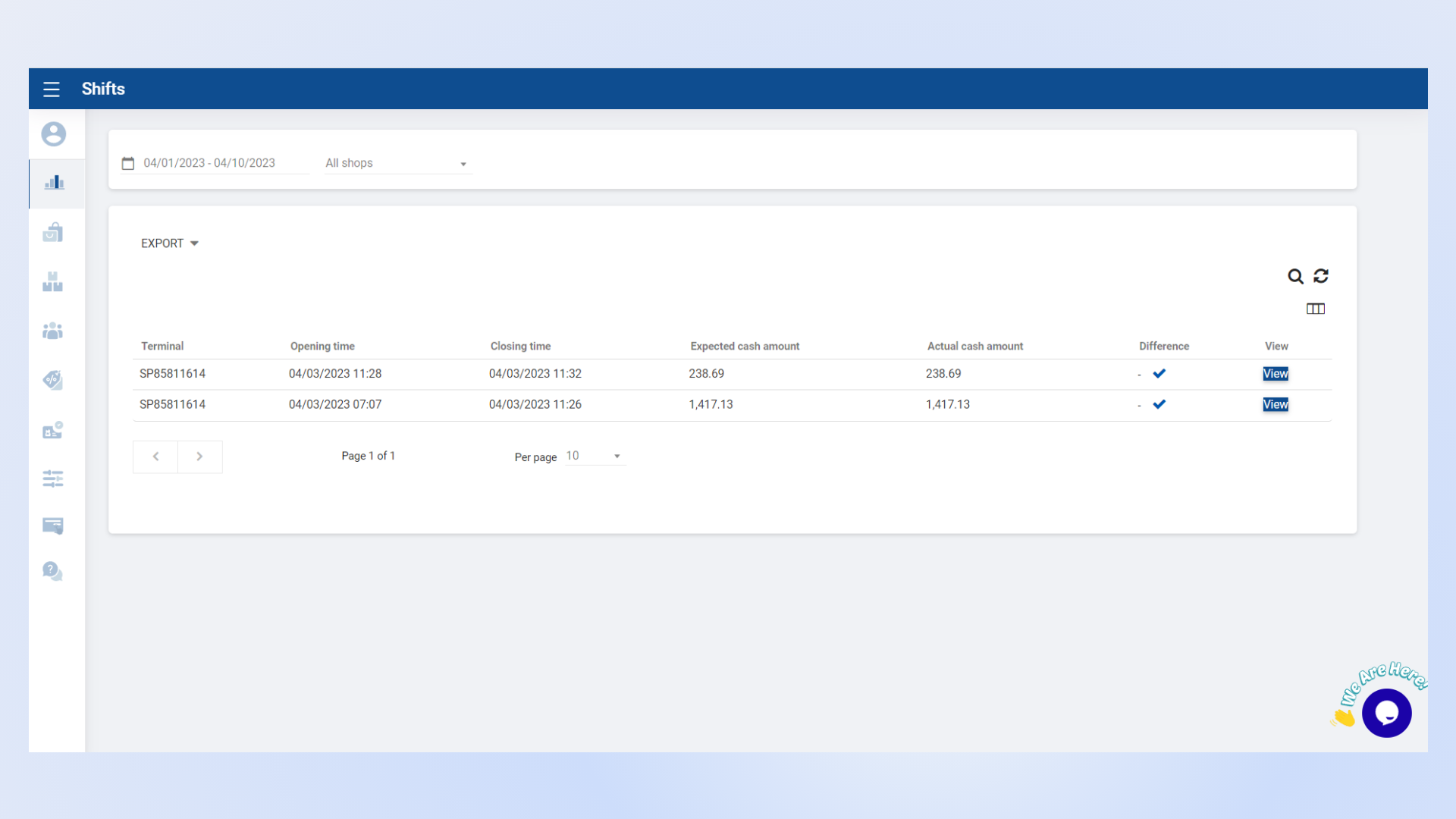
  • The Shift Report provides valuable sales insights, improves cash management, and ensures financial accuracy.
  • The report includes the following information:
    • Opening Time
    • Closing Time
    • Accepted Cash Amount
    • Actual Cash Amount
    • Cash Difference


Comprehensive Shift Report View

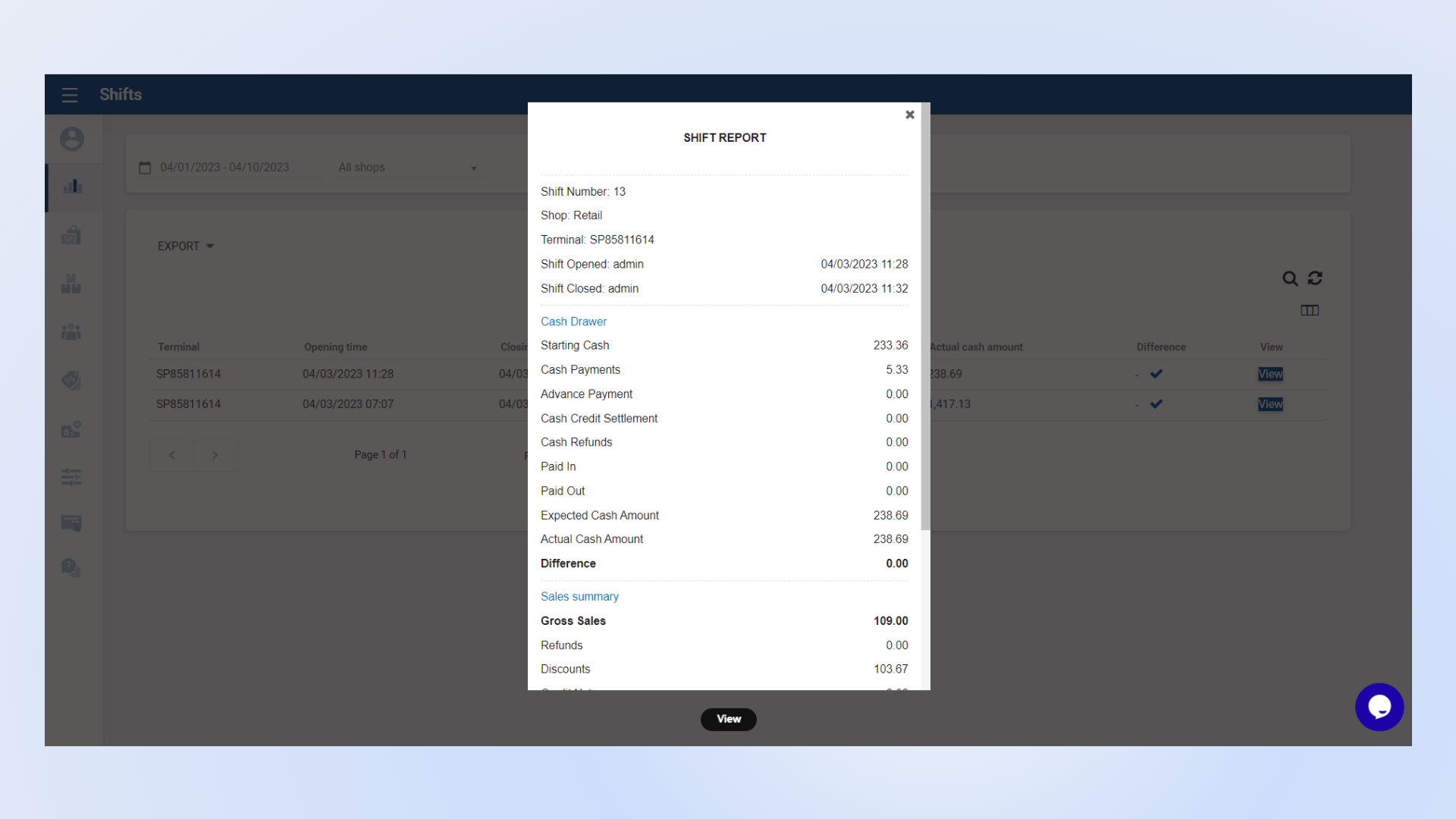
  • SalesPlay allows you to view a detailed report for a specific shift.
  • The report includes cash drawer information along with a complete sales summary.
  • This ensures better shift management, accurate reconciliation, and improved financial control.


Detailed Shift Report with Cash Drawer Summary

Was this helpful?

1 Yes  No

No luck finding what you need? Contact Us

Still need help?

Contact Us

Our support team is
here for you!

Ask the Community

Connect and get answers
from fellow SalesPlay POS users.

Asset-3-3.webp
  • Privacy Policy
  • Terms & Conditions
  • Return & Refund Policy
Asset-3-3.webp
  • Privacy Policy
  • Terms & Conditions
  • Return & Refund Policy