SalesPlay - Help Center

Top Searches:
Product
Stock
Invoice
Payment

Step-by-step process
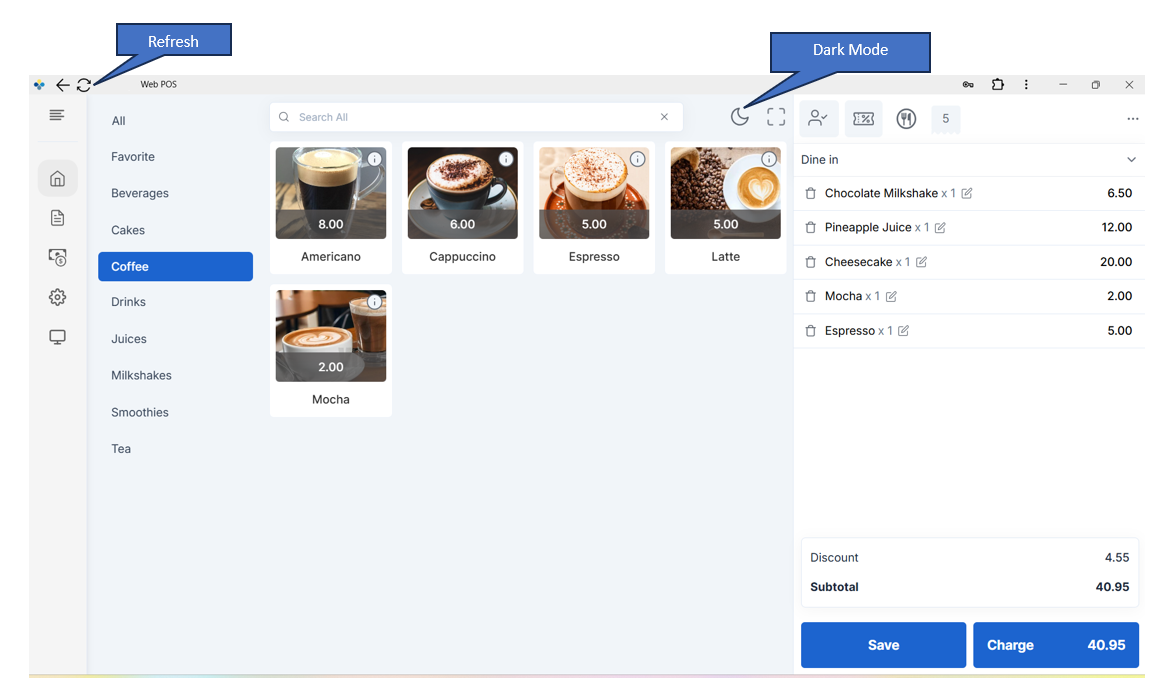
SalesPlay is excited to introduce a refreshed WebPOS user interface, designed to deliver a faster, smoother, and more comfortable experience for your daily business operations. This update includes a modern new look, performance improvements, and the long-awaited Dark Mode feature.
Open WebPOS using the EXE file or via your web browser.
Look at the top bar / header of the screen.
You will see a crescent moon (half-moon) icon.
Click the moon icon.
WebPOS will instantly switch to Dark Mode.
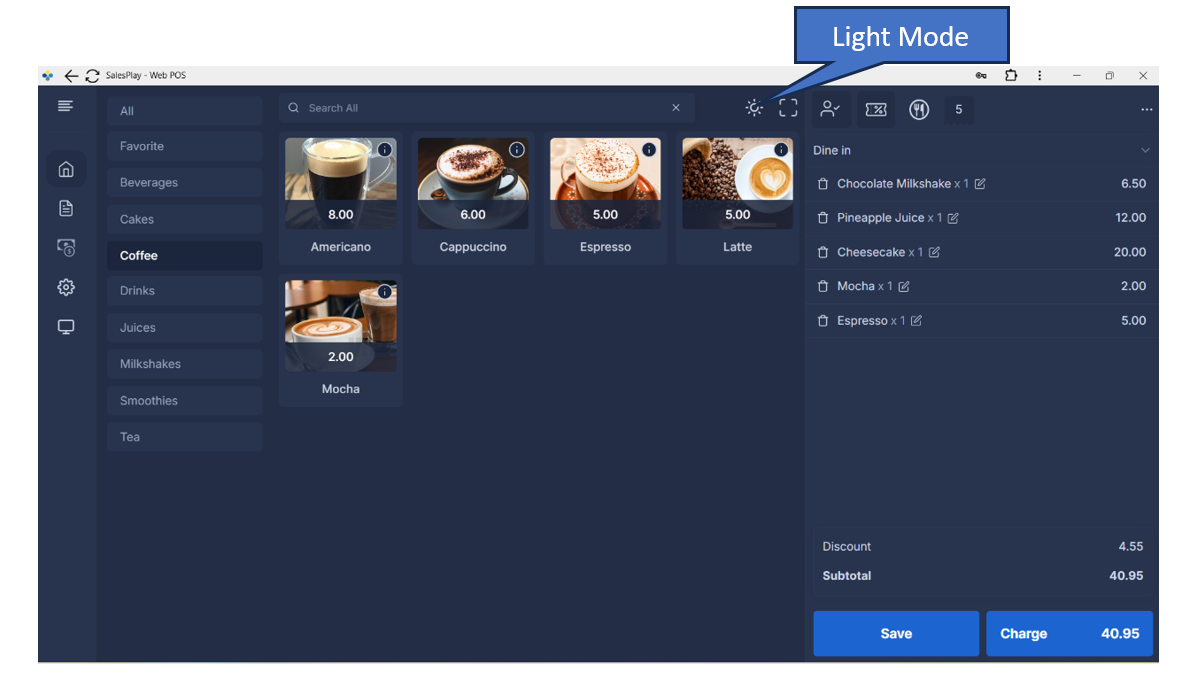
Make sure WebPOS is open (EXE or browser).
When Dark Mode is enabled, you will see a sun icon in the top bar.
Click the sun icon.
WebPOS will switch back to Light Mode.
Was this helpful?